Q
U
I
S
I
T
I
V
E
Loading

Blog Detail
.png)
17
Oct
🚫 Stop Saying “Just Restart It” — Here’s Why That One Click Could Cost You Millions
Your screen freezes.
A strange pop-up appears.
Or worse — an alert flashes: “Unusual Login Detected.”
What’s the first thing someone says?
💬 “Bro, just restart it. Works every time.”
We’ve all heard it.
We’ve all done it.
But here’s the hard truth:
🔁 Rebooting during a suspected cyber incident isn’t fixing — it’s destroying evidence.
And in today’s threat landscape, that one click could erase the digital trail needed to stop a full-scale breach.
At Quisitive, we’ve seen companies lose weeks of investigation time — not because of the attack itself, but because someone hit Restart before calling the SOC.
Let’s break down why this instinct is dangerous — and what you should do instead.
🔍 What Happens When You Reboot During a Cyberattack?
When malware infects a system, it doesn’t just sit idle.
It communicates with command-and-control servers, steals data, and spreads laterally.
And until the device is powered off or rebooted, critical clues remain in volatile memory (RAM) — invisible but vital:
- Active network connections to hacker-controlled domains
- Running malicious processes
- Recently accessed sensitive files
- Encrypted payloads preparing to deploy
🛑 A single reboot wipes all of it.
Think of it like this:
🔎 Police arrive at a crime scene.
🚨 But the janitor already cleaned the floor.
❌ No fingerprints. No DNA. No leads.
That’s exactly what happens when you restart a compromised machine.
✅ If You Have a NOC/SOC: Do NOT Restart — Preserve the Scene
If your organization has a Network Operations Center (NOC) or Security Operations Center (SOC), your role changes from “fixer” to “preserver.”
Here’s Your Action Plan:
- Leave the device ON — don’t shut it down
- Disconnect from Wi-Fi and Ethernet — stops further communication
- Do NOT interact with any files or apps
- Call or report to your SOC team immediately
- Provide:
- Screenshot of the issue
- Time it occurred
- Any recent downloads or emails
🔐 With live access, your SOC can:
- Capture memory dumps for forensic analysis
- Trace the origin of the attack
- Identify if other devices are infected
- Contain the threat before it spreads
This is the power of proactive security: turning a potential disaster into a contained incident.
🛡️ What If You Don’t Have a NOC/SOC? Act Smart — Not Fast
Not every business has a 24x7 security team.
But that doesn’t mean you’re helpless.
If you suspect compromise and have no SOC support, follow these steps to limit damage — without making things worse.
Immediate Response Checklist:
| STEP | ACTION |
|---|---|
| 1️⃣ | Disconnect from internet/network→ Prevents data exfiltration |
| 2️⃣ | Back up critical files→ Only to clean, offline storage (e.g., USB drive not used recently) |
| 3️⃣ | Wipe and restore from a known-clean backup→ Ensure backup was madebeforeinfection |
| 4️⃣ | Change all passwords→ From aclean, uncompromised device |
| 5️⃣ | Scan all connected devices→ Malware often jumps across shared drives |
⚠️ Important: Never use the infected device to reset passwords or download tools — it may keylog everything.
💡 Pro Tip: Maintain at least one offline, immutable backup updated weekly — so you always have a clean recovery point.
🚀 Why This Matters: The Real Cost of “Just Restart It”
Let’s compare two real-world scenarios:
🔹 Company A – “We Just Restarted”
- Employee saw ransomware warning
- Rebooted laptop thinking it would fix it
- Lost all logs; malware reactivated after boot
- Spread to file server overnight
- Downtime: 5 days | Loss: ₹6.8 crore
🔹 Company B – “We Called the SOC First”
- Same alert received
- Device isolated, SOC alerted within 3 minutes
- Forensic analysis traced attack to phishing email
- Contained to one endpoint
- Recovery: 2 hours | Loss: ₹0
🔑 Difference? Not budget. Not luck.
👉 Discipline over instinct.
📊 The Hidden Value of a NOC/SOC
Businesses with dedicated monitoring and response teams gain three critical advantages:
| ADVANTAGE | IMPACT |
|---|---|
| Early Detection | Threats caught before encryption or data theft |
| Forensic Readiness | Live systems analyzed, not guessed at |
| Faster Recovery | Known backups, documented playbooks, expert guidance |
Without a NOC/SOC? ❌ You’re always reacting — never ahead.
❌ You rely on individual habits, not proven protocols.
❌ One wrong move = massive consequence.
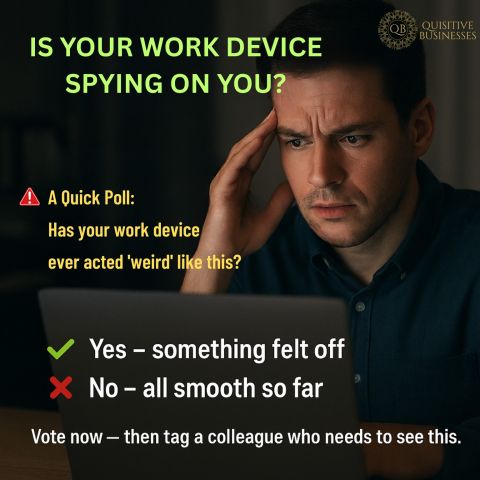
💬 Be Honest: What’s Your Go-To Move?
When something goes wrong on your device, do you: ✅ Report it first?
🔄 Or restart it first?
👇 Drop your instinct in the comments — no judgment.
But let’s start a real conversation about how we respond under pressure.
Because the smartest fix isn’t always technical.
Sometimes, it’s knowing when not to act alone.
🔐 About Quisitive: We Watch So You Can Work Without Fear
At Quisitive, our 24x7 NOC and SOC services don’t just monitor systems —
We protect the integrity of your digital environment by ensuring threats are investigated, not erased.
From real-time forensics to rapid containment, we give businesses the peace of mind that comes from knowing help is always on watch.
Learn more about Quisitive's NOC as a service | SOC as a service | #StopTheReboot
🔁 Share this article with your IT lead, operations manager, or leadership team — especially those still managing tech with “restart magic.”
Tag a leader who needs a SOC.
Because sometimes, the most powerful tool isn’t a button.
It’s knowing when not to press it.
#CyberSafeSeries #StopTheReboot #IncidentResponse #NOC #SOC #QuisitiveSecure #SecurityWithSupport 💻🚨🛠️


.png)
.png)
.png)
.png)
.png)